Appearance
Quick Start
This guide will help you get started with the FMEA module, including first login and creating your first FMEA project.
First Login
- Administrator: You will have full permissions including project creation, team management, and template settings.
- Member: You will be invited to specific projects and responsible for editing and reviewing corresponding sections.
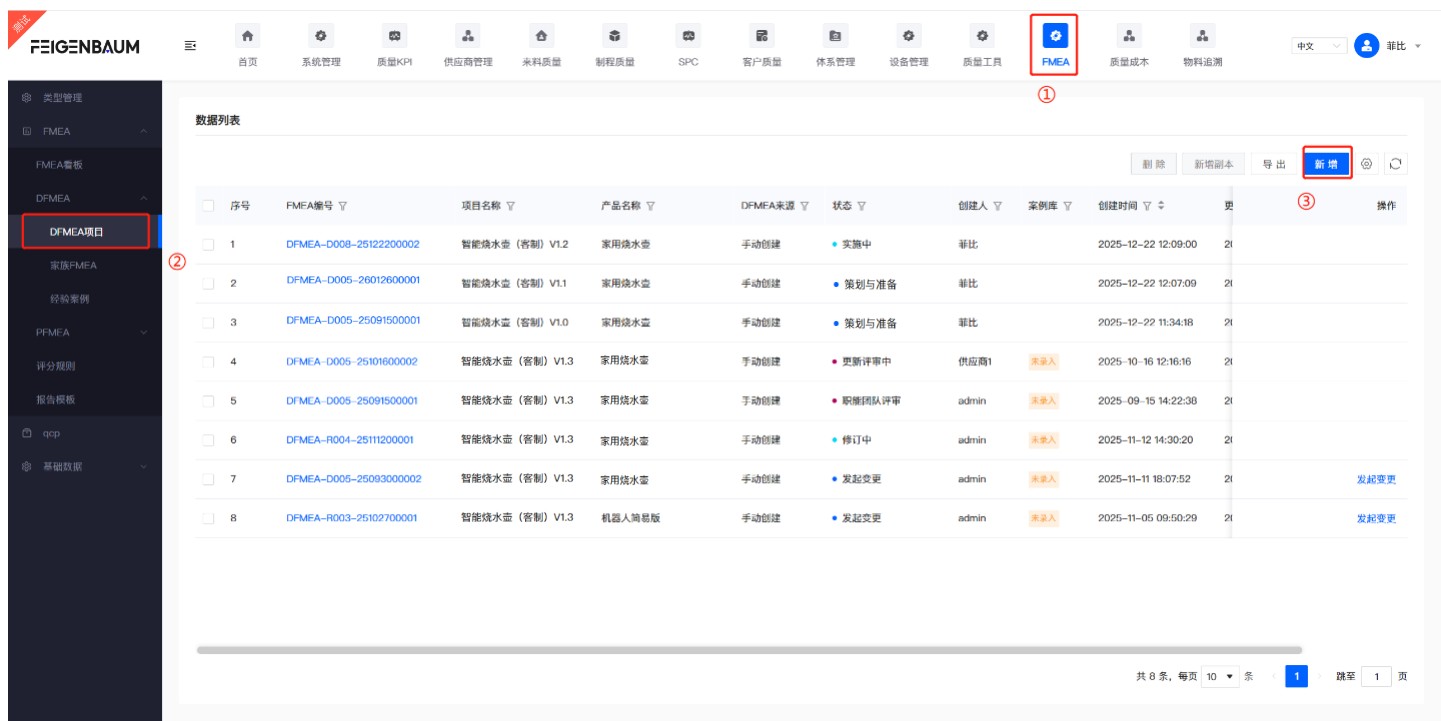
Create Your First FMEA Project
- Click "New" in 「DFMEA/DFMEA Projects」 to create a new project.
- Fill in basic project information (name, product/process, team).
- Click "Submit and Initiate Decision".