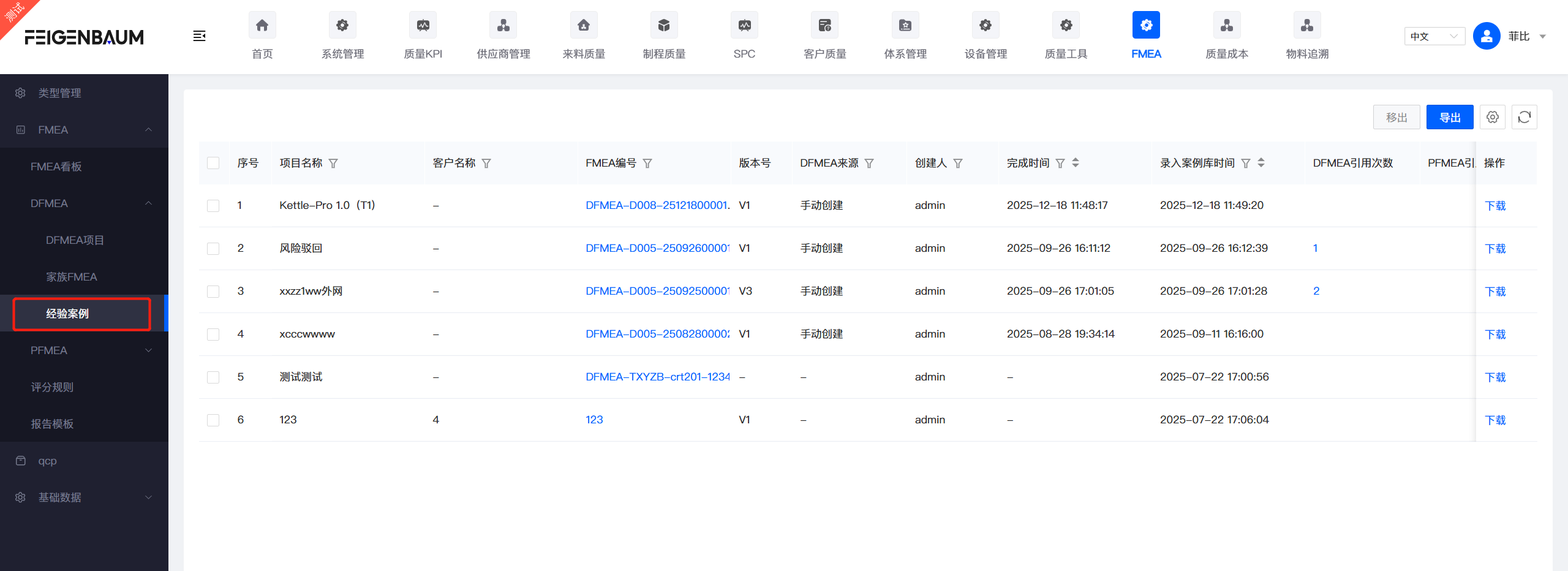
Appearance
Experience Case Library
Experience Case Library is an important knowledge base for FMEA analysis, used to store and reuse completed FMEA analysis cases. This guide explains how to use the Experience Case Library.
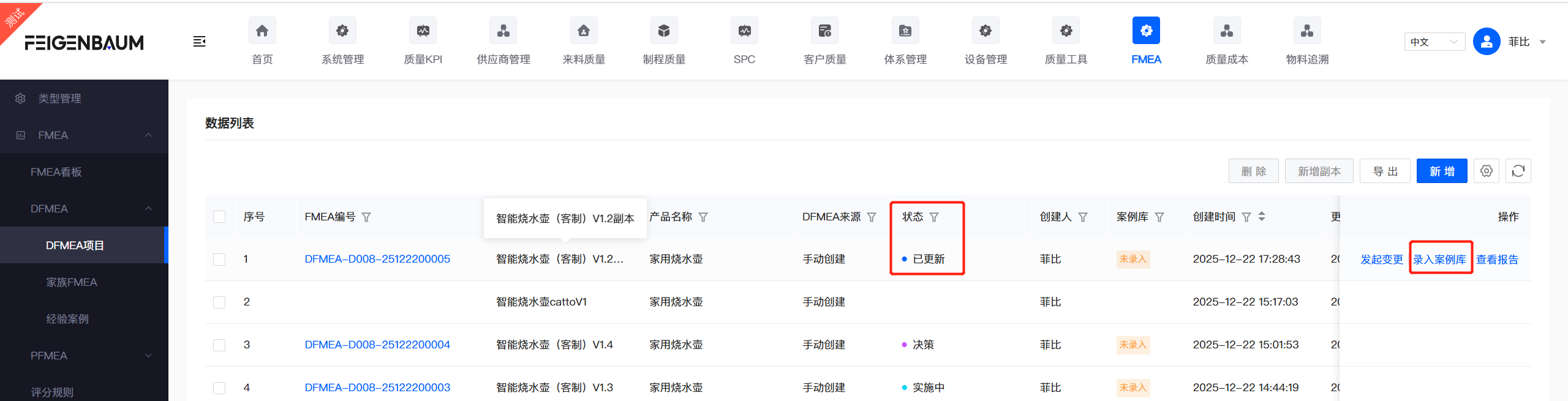
Add to Case Library
After the DFMEA project is completed and passes the Functional Team Review, it can be added to the Experience Case Library. The case library is viewable to organization users by default.
Steps:
- When project status is "Completed/Updated", the "Add to Case Library" button appears
- Click the button and confirm the operation
- Project information is automatically saved to the case library
View & Copy
Browse, search, and copy archived FMEA cases in the Experience Cases menu. The Experience Case Library is open to all system members by default.
Menu Path: FMEA/FMEA/DFMEA/Experience Cases